For K–8 families using iPhone and iPad
A little math before a little more play.
You choose the apps and approved time. A short K–8 math break can open the extra time you set.
Kindergarten through Grade 8
Math practice matched to the level you choose
For iPhone and iPad
Works with Apple Screen Time
You choose the apps
Umka manages only the ones you select
Child data stays on device
Answers, progress, and learning history
A clear answer to “Can I have a little more?”
When approved time ends, Umka gives your child one visible option you already chose: a short math break for a little extra time. The rule stays clear, and the next step is ready.
One clear route to a little extra time.
You set the plan once. Umka makes each next step visible.
-
Play comes first
Your child uses the selected apps during the approved time you set.
-
Selected apps pause
When that time is used, Apple Screen Time pauses only the apps, categories, or websites you chose.
-
Take a math break
Umka offers the short K–8 practice and question target in your plan.
-
A little more play
Complete the practice, and the parent-set extra break becomes available.
Approved play comes first.
Umka does not make every permitted minute something a child must earn. If your child wants a little more, Umka offers the short practice and extra time you chose.
- No streak to protect.
- No virtual coins to spend.
- No leaderboard to climb.
- Just the practice and a brief completion moment.
Short K–8 math practice, with room to try again.
Umka includes math practice from Kindergarten through Grade 8. Question selection can respond across sessions using work saved on this device.
K–2
Number sense, counting, place value, addition, and subtraction.
Grades 3–5
Multiplication, division, fractions, measurement, geometry, and data.
Grades 6–8
Ratios, expressions, equations, geometry, statistics, and probability.
Representative topic range.
-
Not yet. Try once more.
-
A fresh question keeps the practice moving.
-

Complete the target. Your break is ready.
A wrong answer gets supportive feedback and a replacement question. One mistake does not end the learning break.
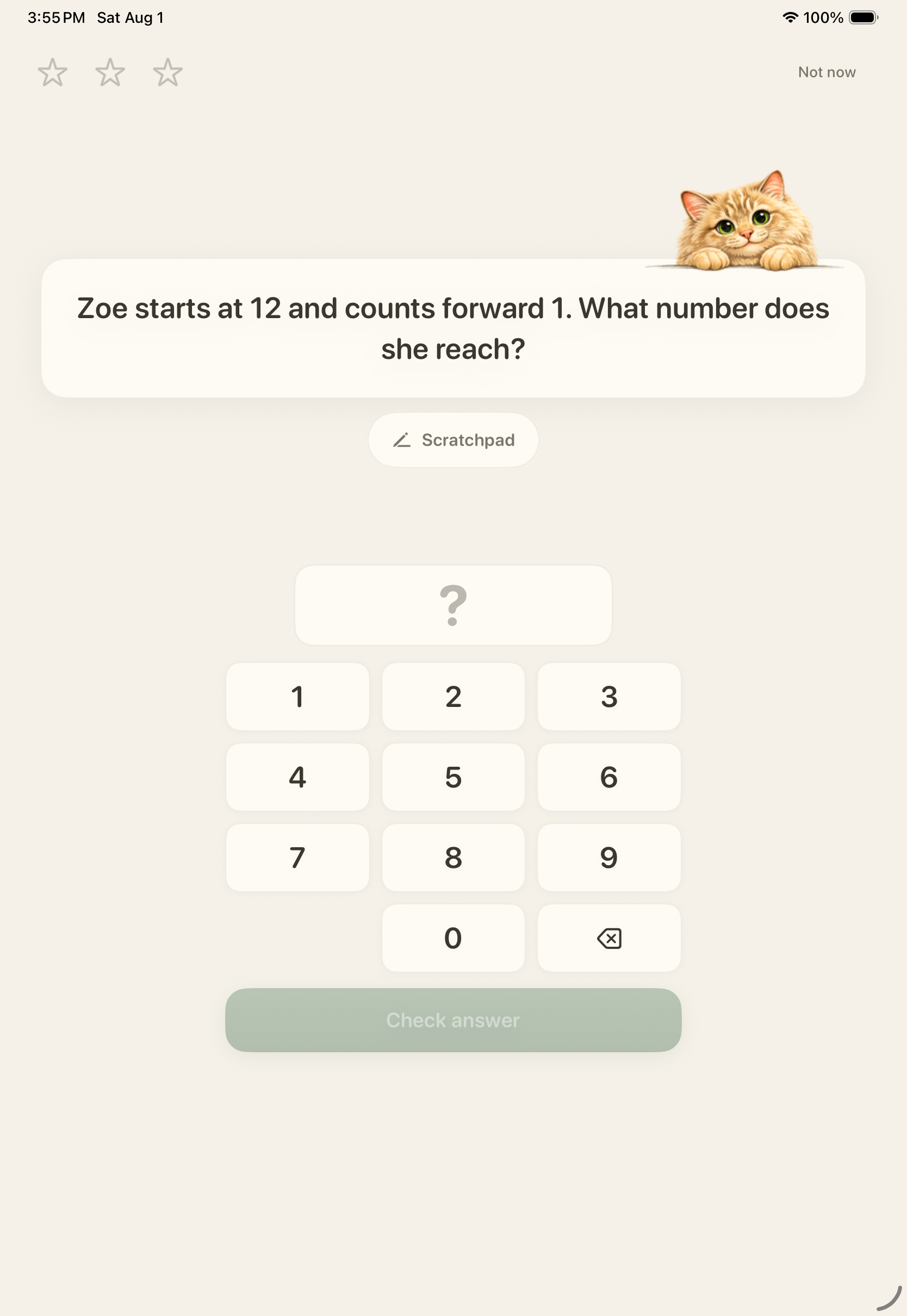
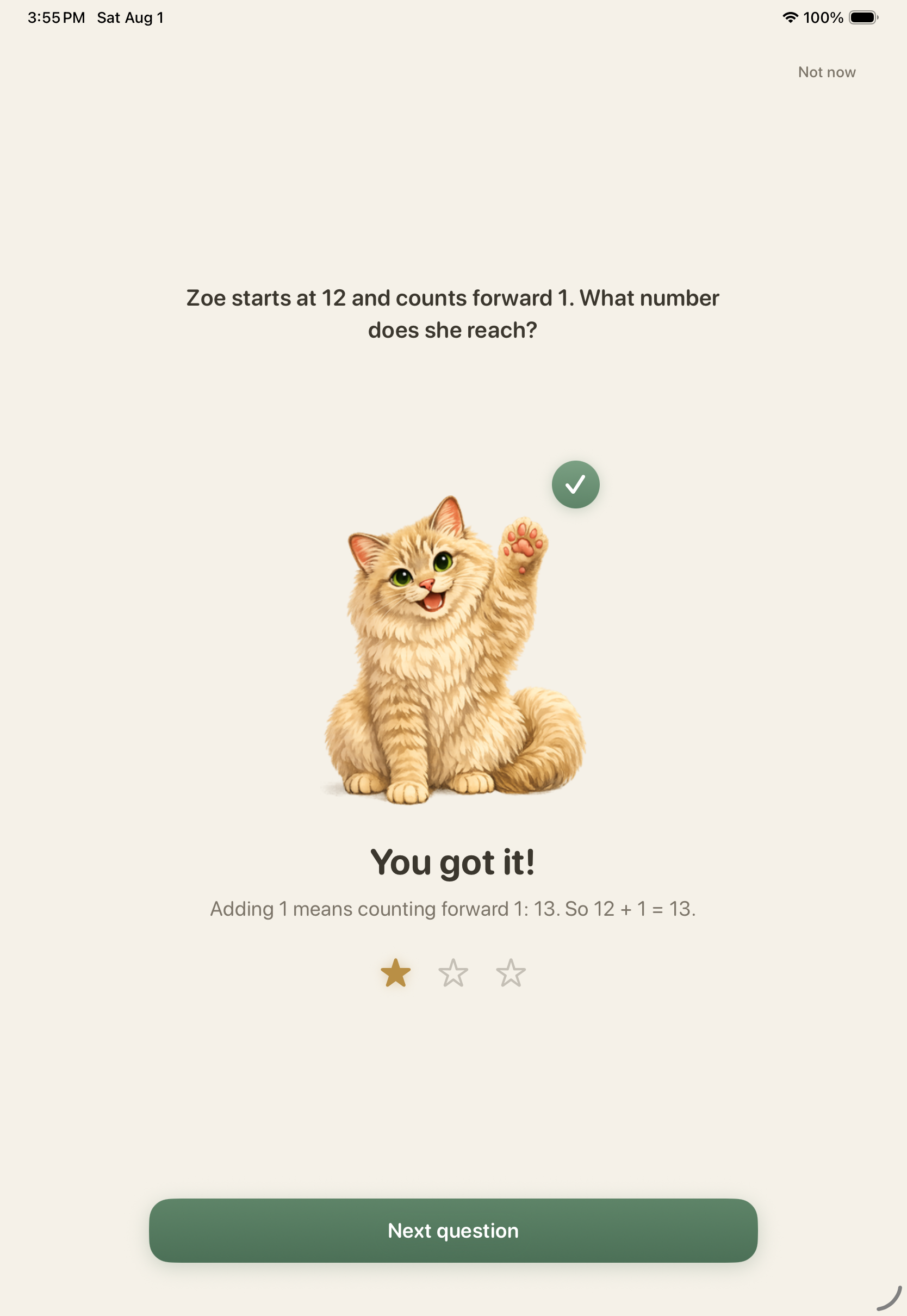
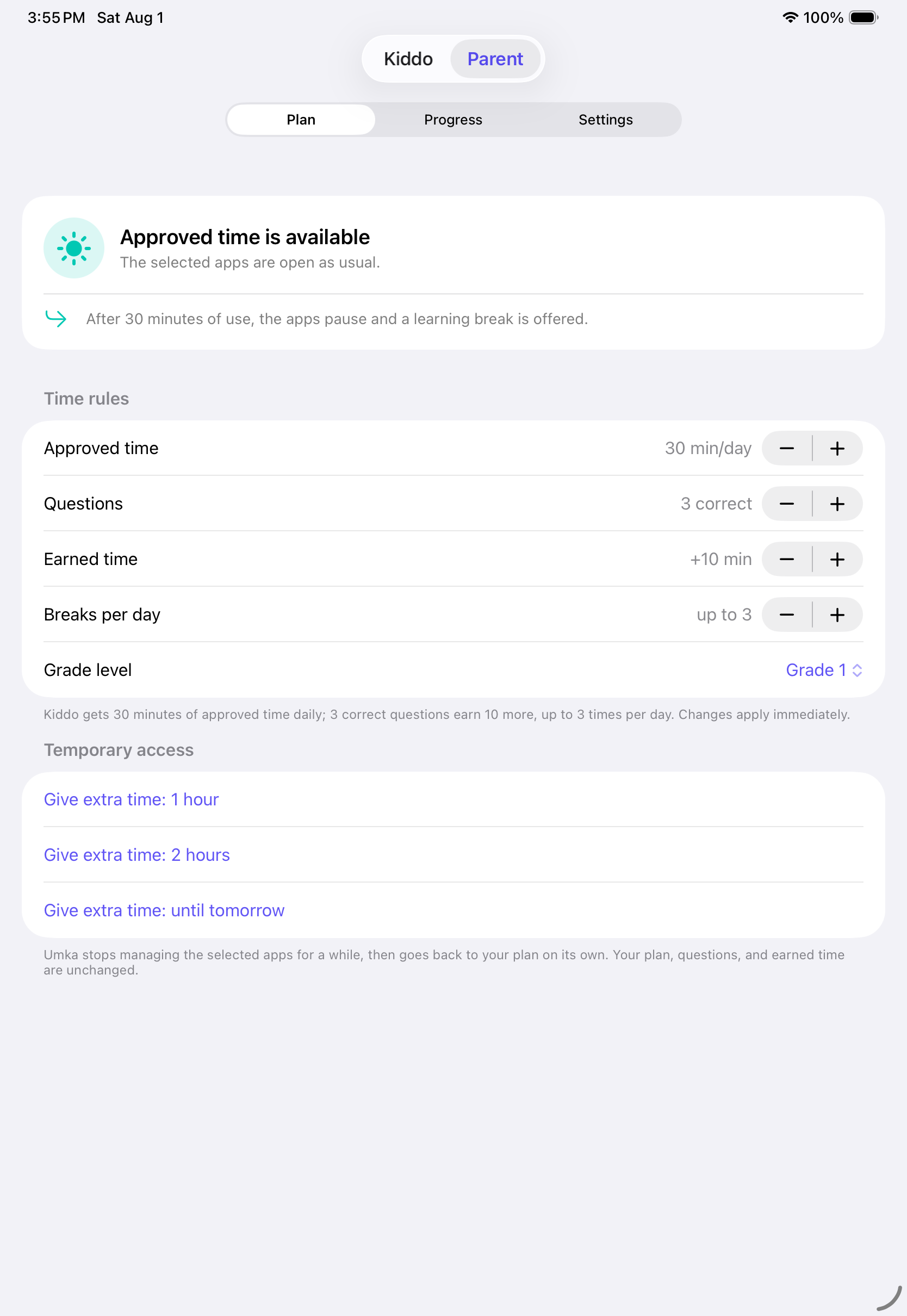
You set the time. Umka guides the practice.
The routine stays inside the boundaries you choose.
- Apps, categories, or websites Umka manages
- Approved-time allowance
- Required correct-answer count
- Extra-time amount
- Daily earned-session cap
- Learning calibration
You choose the apps. Umka manages only the ones you select.
Your child's learning stays on this device.
This device
Your child's answers, progress, learning history, name, selected apps, and Parent PIN stay on this device.
Your rules. One clear routine.
Umka turns the settings you choose into one visible next step when approved time is used.
Approved play comes first
Umka respects the time you already said yes to.
You set every boundary
Choose the apps, approved time, math target, and extra break.
One clear handoff
When approved time is used, Umka shows the practice and extra break you set.
A complete routine, ready when you need it.
The value is the whole handoff working together.
- Maintained K–8 math practice
- Supportive retry and replacement questions
- Parent-set bounds, including a daily cap
- On-device learning history that can guide later selection
- Ongoing product maintenance, recovery, and support
Bring the routine to your family.
Set the plan once, then let Umka show the next step.
Download Umka on the App StoreQuestions parents ask.
Why not just use Apple Screen Time?
Apple Screen Time provides the underlying family controls and may be enough for many families. Umka is for parents who want to add a ready-made K–8 math step when a child asks for extra time on selected apps.
Is math a punishment?
It should not feel like one. Umka starts with approved play, then offers a short, predictable exchange chosen by the parent, with supportive feedback and room to try again. It will not suit every child or every family's approach to learning.
What happens after a wrong answer?
Umka gives supportive feedback and a replacement question. A wrong answer does not fail the learning break or grant unearned credit.
Does it lock the whole phone?
No. Umka manages only the apps, categories, or websites you choose.
Can my child bypass it?
Umka works with Screen Time to manage only what you choose. Like any family control, it depends on correct setup and supported device behavior.
What data do you collect?
Your child's answers, progress, learning history, name, selected apps, and Parent PIN stay on this device.
What grades are supported?
The current production content and grade-scoped question selection cover Kindergarten through Grade 8. Umka is a practice tool, not a complete curriculum or a promise about grades or test scores.

A clear next step, inside the plan you set.
Approved play first. A short math break if your child wants a little more. Parent-set bounds all the way through.